
If you’re considering building a casita, guest house, or detached living space in San Antonio, the first question is always the same:
“What is this actually going to cost me?”
The honest answer: it depends—but not in the vague way most contractors say it.
This guide breaks down realistic 2026 pricing ranges in the San Antonio area, based on current labor, materials, and permitting conditions.
Average Cost to Build a Casita in San Antonio
In 2026, most casita projects fall into this range:
- Basic Casita (400–600 sq ft):
$140,000 – $200,000 - Mid-Range Casita (600–900 sq ft):
$200,000 – $325,000 - High-End / Luxury Casita (800–1,200+ sq ft):
$325,000 – $550,000+
That typically translates to:
- $250 – $400+ per square foot
And yes—that’s often higher than building a full home. Here’s why…
Why Casitas Cost More Per Square Foot
Casitas are small—but they still require all the major systems of a full home:
- Foundation
- Plumbing + sewer tie-ins
- Electrical service
- HVAC system
- Kitchen + bathroom
You’re essentially building a complete house on a smaller footprint, which increases cost per square foot. Some of the most expensive real estate in your home is baths and kitchens. In a casita, you are building both and not offsetting those costs with large open spaces like extra bedrooms, large dining rooms, garage, etc.
Key Factors That Affect Pricing
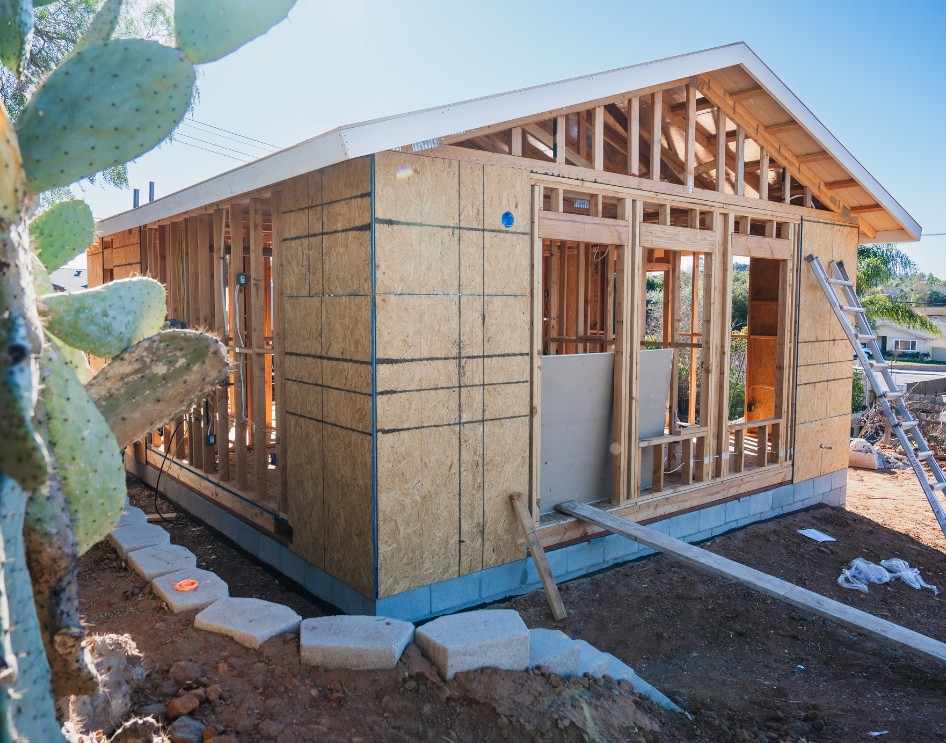
1. Site Conditions (Big One in San Antonio)
- Rock excavation (very common locally)
- Access limitations (tight lots, rear yards)
- Utility distance from main house
These alone can swing your project by $20K–$80K+
2. Foundation Type
- Standard slab: lowest cost
- Pier & beam: higher, often used for tree protection or slope
3. Utilities & Connections
- Separate vs shared electrical meter
- Sewer vs septic tie-in
- Gas line extensions
4. Interior Finishes
This is where projects vary the most:
- Builder-grade → lower cost
- Custom cabinetry, tile, fixtures → significantly higher
- Full kitchenette vs simple wet bar
5. Design & Permitting
- City of San Antonio zoning & setbacks
- HOA restrictions
- Architectural design + engineering
Skipping proper planning here is one of the biggest causes of budget overruns
Hidden Costs Most Homeowners Miss
This is where people get into trouble.
Make sure your budget includes:
- Design + architectural plans
- Engineering (structural, foundation)
- Permits + impact fees
- Utility trenching & panel upgrades
- Drainage solutions
- Landscaping restoration
These can add 15%–25%+ if not accounted for upfront.
Casita vs Addition: Which Is Better?
Many homeowners debate this.
Casita Pros:
- Privacy for guests or renters
- Ideal for aging parents or adult children
- Potential rental income (depending on local rules)
Addition Pros:
- Lower cost per square foot
- Easier utility integration
- No separate structure constraints
The right answer depends on your property layout and long-term goals
What Drives Budget Overruns (And How to Avoid Them)
Most casita projects go over budget for one reason:
Lack of clarity before construction starts
Common mistakes:
- Designing without a realistic budget
- Underestimating site work
- Making finish selections too late
- Hiring design and construction separately
How We Keep Casita Projects on Budget
Our design-build process solves this early by:
- Aligning design + budget from day one
- Providing real cost ranges before final plans
- Identifying site constraints upfront
- Locking scope before construction begins
That’s how you avoid the “surprise costs” most homeowners run into.
Is a Casita Worth It?
For many San Antonio homeowners, the answer is yes—especially if you’re:
- Planning for multi-generational living
- Creating a private guest space
- Adding long-term property value
- Exploring rental potential
But it only works if the numbers make sense before you build
Get Realistic Numbers for Your Property
Every lot is different. Every scope is different.
If you want accurate pricing—not guesses—you need to evaluate:
- Your specific property
- Utility access
- Design goals
- Finish level
→ Get realistic numbers before you design:
Contact-Us
"*" indicates required fields